For hotels
How hotels handle guest requests without another app
Towels, a change to room cleaning or a small problem in the room are everyday situations. Guests need to know how to ask, while staff need a clear view of what has come in.
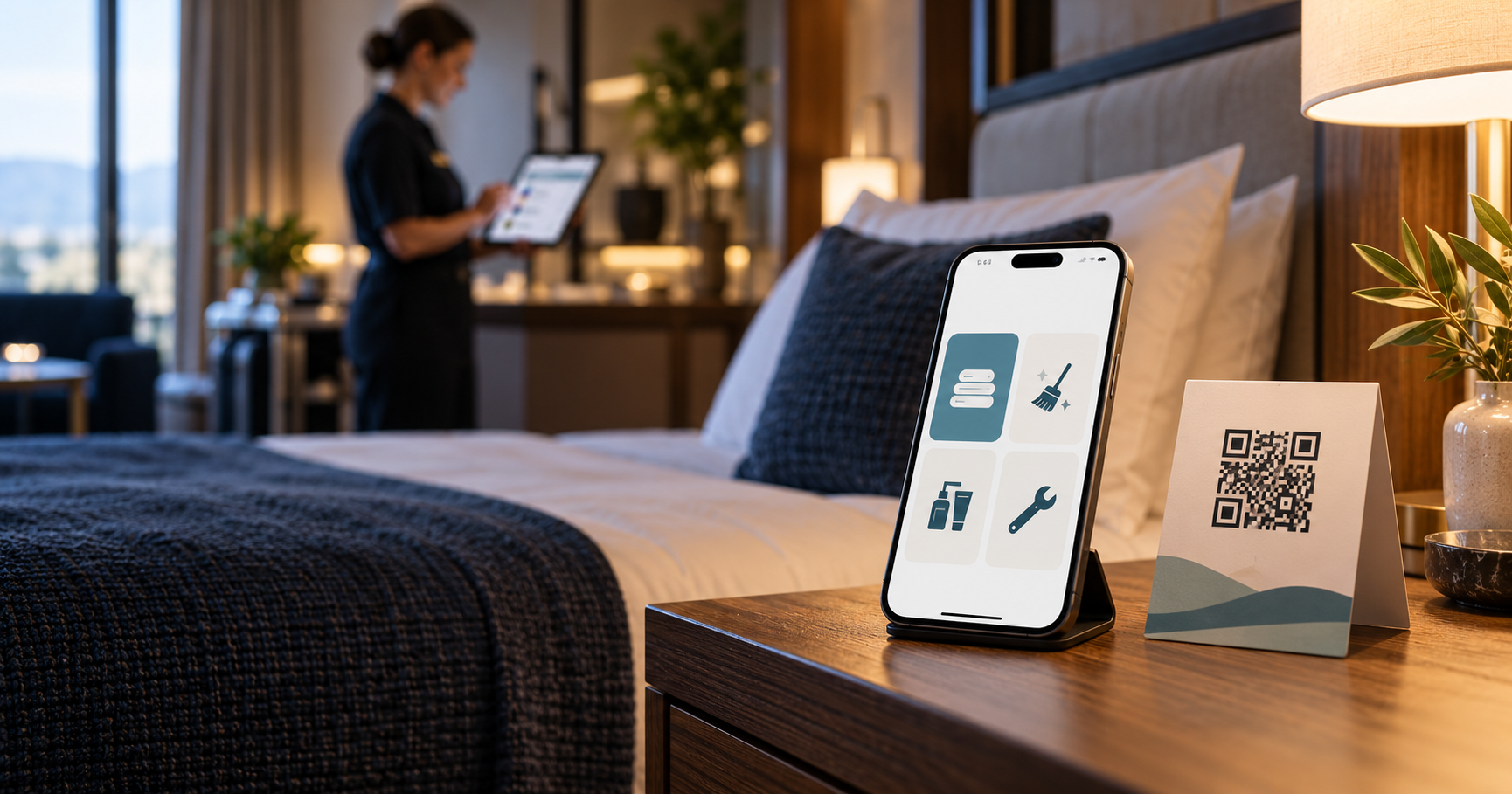
A guest notices they need fresh towels, would like to skip today’s room cleaning or finds that the light in their room is not working. These are everyday situations for a hotel; for the guest, the important thing is knowing how to ask. For the operation, the information needs to reach someone who can take it on, rather than staying only in the memory of the person who first heard it.
A phone call, a face-to-face conversation or a paper note is not necessarily the wrong choice. Each can work at a different moment. The difficulty comes when requests arrive through several routes and the hotel has no clear way to pass them on and close them out. A QR form can be one more point of entry. It does not manage the whole operation or replace staff judgement.
Where guest requests can get lost in a hotel
A call to reception makes it easy to ask follow-up questions straight away. But when a receptionist is handling an arrival or another call, a new request adds another interruption. Someone has to remember the room, describe what is needed and pass it on to the relevant team. If other work comes up in between, the note may be delayed or the request passed on verbally.
Catching a member of staff in person can be quick if the guest finds the right person and they are able to respond. The guest may not know whom to ask, though, and the employee may be on their way to another task. If someone accepts a request they will not handle themselves, its handover depends on an agreed process. The information is not automatically available to the colleague taking over the next shift.
A paper note can be read later. Someone still needs to know where to find it, who takes it on and how to tell when the work is complete. It might be left at reception, in a drawer or somewhere the next shift does not check. That is not an issue with paper itself; it depends on how the hotel handles notes.
Uncoordinated messages through SMS, WhatsApp, email and other channels create several places where a new request might be waiting. Staff then have to check different inboxes and work out whether the message has reached the person responsible. Even if someone replies to each one, it may still be unclear whether the work itself was done. A shared overview can bring some incoming requests together, but the hotel still sets the handover rules.
The gap does not occur only when a request comes in. It may be recorded without a clear owner, passed on without confirmation of the outcome, or completed but still shown as open. Before choosing a new channel, look at the whole journey: who receives the request, who takes it on, who carries it out and who records its final status?
How a request works through a QR code
The guest scans a QR code in the room and opens a mobile page in their usual browser. They do not need to install an app or create an account to make a request. They choose one of the request types on offer and submit it. The request then appears in the staff overview. The responsible employee or team checks the room and the request, takes the next step and records the outcome once the work is done.
In practice, the steps are: guest scans the QR code → opens the mobile page → chooses a request → staff see it → the responsible team handles it. The first part gives the guest a way to submit a request; the next starts with the hotel team. Submitting a form does not confirm that a service has already been provided, and the form cannot estimate staff availability. The hotel needs to decide who checks the overview and how new items reach the right people.
For towels, the guest selects the option and specifies how many they need. For room cleaning, they can choose to have it done that day or skip it. For amenities, they select from specific items, such as shampoo or toilet paper. If they notice a fault, they can report a problem and choose the relevant category. The usual route through reception must remain available for urgent or unusual situations.
Place the QR code where guests can find and scan it safely. Add a short explanation of what the page offers and how to contact reception if they need something else. During the pilot, check the code in every selected room: a code linked to the wrong room or a label that is hard to read can cause confusion before the request reaches the overview.
What guests get
Guests have a visible route for everyday requests without first having to look up a phone number or guess which employee to speak to. The options can show what they can ask for and what information the hotel needs. A mobile page that requires no installation keeps the steps manageable for a one-off task during a short stay.
Clearly named options can reduce uncertainty about whether the hotel has understood a request. That does not mean guests will never want to speak to someone. Some situations call for a conversation, a follow-up question or an immediate response. The QR page therefore complements communication with the hotel; it should not be the only route or prevent guests from contacting reception.
A confirmation that a request has been received is not a promise of when it will be completed. A hotel should not suggest that towels will arrive at a specific time unless the operation can reliably meet that commitment. It is clearer to tell guests that their request has been sent and staff will handle it according to current capacity.
What reception and hotel operations get
Requests submitted through the form appear in one overview, rather than remaining on the guest’s phone or on paper for this channel. Staff can check the request type and room, decide what to do next and record its status. This creates a shared place for some of the work; the hotel still needs to record or pass on phone and in-person requests according to its chosen process.
Reception can see more clearly which requests are waiting, but the overview helps only if someone checks it. Housekeeping needs to know who is taking towels or a change to room cleaning. A technical problem needs to reach someone who can assess it. If the system does not automatically pass a request to a specific person, the hotel’s working procedure needs to cover that step.
The hotel also needs to agree how requests are closed. If someone on another shift delivers the towels, who records that the work is complete? Who handles a request the hotel cannot fulfil? During a handover, it is useful to review open items and decide what happens next. Without that habit, even correctly captured requests can pile up or show a status that no longer reflects reality.
It would not be reasonable to promise that a new form will by itself reduce calls or lighten a shift’s workload. Guests may continue to call, staff need to monitor the new list, and a pilot may temporarily add work. The hotel can assess its own experience and decide whether the overview helps. The outcome depends on the number and type of requests, shift cover and how consistently the team records their completion.
How to start with a small pilot
Start with one recurring situation and a limited number of rooms. If reception often passes on requests for towels or changes to room cleaning, test that journey first. There is no need to digitise every service straight away. Choose a scope the team can receive, monitor and close during a normal shift, rather than a list of everything the hotel might want to offer one day.
Before launch, describe today’s process using one specific example. Who answers the phone? Who does reception pass the task to? Where do you check that it has been done? Then try the same journey with a QR code: submit a test request, check the room is correct, view it as a member of staff and follow it through to recording the outcome. The test should also include a request the hotel cannot fulfil and how the team will close it.
In the first few weeks, note examples that will help you decide what to change. Record an unclear option, a request linked to the wrong room, something passed on through another channel or an item someone forgot to close. Ask a few employees whether they know where to find requests and ask guests whether the options made sense. Do not compare the result with an invented savings target; check whether the process fits what actually happens in your hotel.
Pre-pilot checklist
☐ Who monitors requests, and how often do they check the overview?
☐ Who handles towels and changes to or skipped room cleaning?
☐ Who takes technical problems, and what falls outside this channel?
☐ How is each room identified, and where will the QR code go?
☐ Who checks that work is complete and records the outcome?
☐ How will you review the first few weeks and record open cases?
What to avoid when introducing it
Do not put up a QR code without explaining what it opens and how to contact reception by another route. Do not offer tasks the team cannot accept or has no agreed way to handle. A form that covers too much may create expectations the operation cannot meet, while unclear options simply move questions from reception to a phone screen.
Do not assume employees will automatically know when a request has arrived. Decide who checks the overview, who covers for them and what happens at shift handover. Avoid keeping a permanent duplicate record of the same work unless it is clear which record is the one to rely on. During a pilot, the hotel may need to compare the new process with the existing one; agree how long that will last and who will compare both records.
Finally, do not track only the number of submitted forms. It also matters whether the team saw the request, who took it on, whether an outcome was recorded and why the hotel sometimes used another route. These examples can show whether the wording, ownership or working process needs to change.
What Pikolee can and cannot do today
The current Pikolee MVP lets guests open a mobile page through a QR code without installing an app. Guests can submit a structured request for towels, changes to room cleaning or amenities, or report a problem. Staff can see requests for their hotel and work with them within the current pilot workflow. Find out more on the Czech homepage or the German version.
Pikolee is not a PMS, booking system, shift planner, open chat or payment system, and it does not replace operational management. It does not plan shift cover or ensure that a particular service is available, that someone takes on a request or that it is completed by a certain time. Wider integrations and automation are not a reason to assume capabilities that the current pilot does not have. The hotel remains responsible for staffing, operational decisions and emergency contact procedures.
The QR form therefore handles one specific part: capturing selected guest requests and showing them to staff. Only a pilot at a specific hotel can show whether this fits day-to-day operations. Start with a limited scenario, agree who owns the process and assess real cases without promising an outcome in advance.